Product · United States
Brand: ENKAY
Lowest price: $2.35 · 1 store · price range $2.35 … $2.35
Price history: 2 daily prices tracked since 2026-10-18; lowest $2.35, highest $2.35.
Price last confirmed by the store feed on 2026-10-26.
| Store | Price | Stock | |
|---|---|---|---|
| Store 1 (US) | $2.35 | In stock | Go to store |
Rating: not rated yet, 0 member ratings. Signed-in avalwhunt members can rate this product from 1 to 5 stars and write a review.
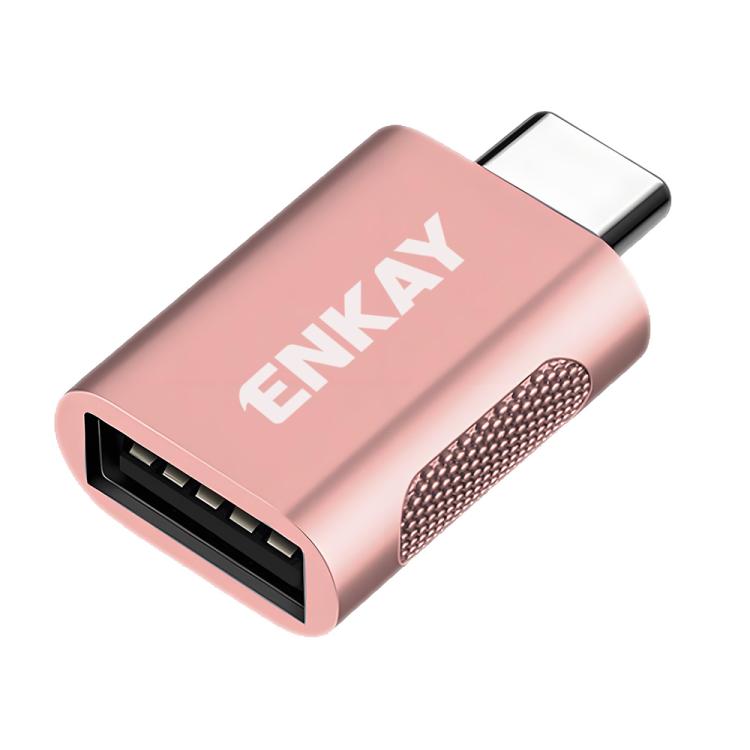
1. Trustworthy Quality: With an zinc alloy housing and metal connector, the ENKAY USB A 3.2 Gen 2 to USB C Adapter is extremely durable and sturdy. Rigorously tested to withstand more than 10,000 times of plugging and unplugging, ensuring long-lasting performance 2. Up to 10Gbps data transfer: The 10Gbps high-speed data transfer allows you to quickly transfer files via USB 3.2 A Female to USB C Male Adapter in seconds.Widely used for high-speed data transfer from USB flash drives/card readers/hard disks to laptops/mobile phones and other USB C devices 3. Extremely Slim Design & Portable: The USB C to UBS A Adapter ultra-thin design fits snugly side by side with your MacBook Pro and easily connects to USB peripheral device.The Thumb-sized design that makes it easy to carry in your purse or bag 4. Wide Device Compatibility: The USBC to USB Adapter is compatible with various devices like Type C laptops, tablets, OTG phones including iPhone 17 16 15 Pro, Samsung Galaxy S26/S25/S24/S23 Series, MacBook Pro after 2016, MacBook Air after 2018 and iPad.The USB 3.2 female port connects to USB flash drives, card readers, USB hubs, gaming accessories, network cards, external hard disks, data cables, mice, printers, and an extensive range of other devices. 5. Easy to use: plug and play, no driver required. Please clean the dust on the interface first to ensure good contact. Find the LOGO on the front of the adapter and gently insert it in this direction (do not force it)